Using Docker Sandboxes with Google Antigravity
By Dmitry Kabanov
It is 2026, and it is common to run AI agents in a terminal or an integrated development environment for coding tasks.
The problem is, AI agents can be insecure to run directly on your machine:
only in Summer 2026 were several incidents reported.1
I have recently experienced a strange situation myself
when Antigravity, an AI agent from Google, has asked me
if it was allowed to run tests from the Tests/ directory
one level above the current working directory,
because it has looked there for unknown reason.
Of course, many software packages look for different things on the file system,
for example, for a C compiler, etc.
However, they usually check some predefined system locations like /usr/bin
on Linux.
So, after that had happened, I have started to think about running AI agents strictly in virtual machines instead of directly. It turned out that Docker Inc. has a special solution for this: Docker Sandboxes. These are isolated virtual machines that also run Docker containers inside of them. That is, each sandbox has its own Docker daemon, filesystem and network, so it cannot break into other Docker containers (normally, Docker containers share the same kernel, for example, on macOS several Docker containers run inside the same virtual Linux machine). Hence, the sandboxes are designed to be more secure: however, they use normal Docker facilities to automatically mount a project directory inside the sandbox, so that an AI agent can work with the project code.
Docker Sandboxes can be used with different AI agents. Below I describe how to use them with Google Antigravity.
How to run Google Antigravity
First, install the sbx utility as instructed here.
Many popular AI agents are supported and can be started with the command
sbx run <agent>where <agent> is the lowercase name of an AI agent.
Strangely,
sbx run geministill exists, although gemini is deprecated since June 2026;
however,
sbx run antigravityis not yet available.2
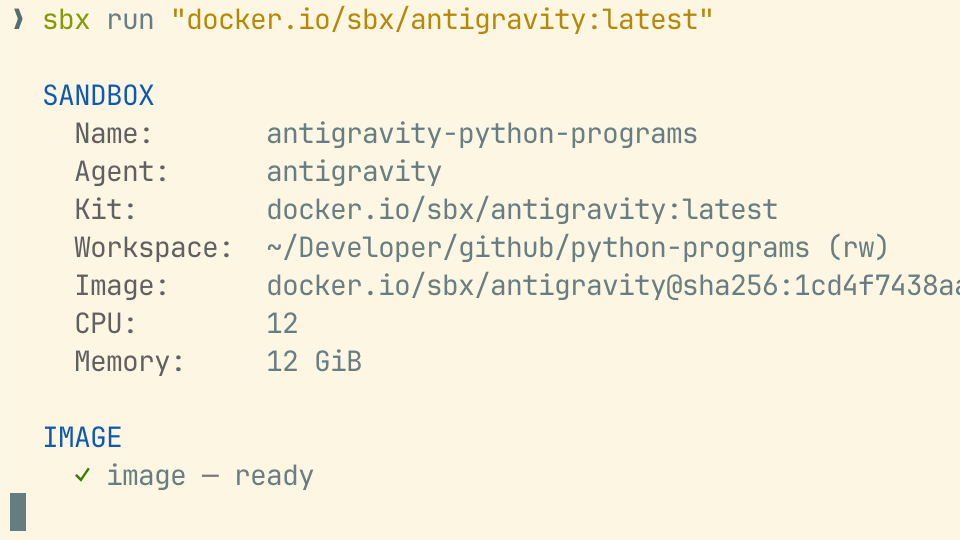
Fortunately, there is an official Docker image for Google Antigravity. It can be run with the command:
sbx run "docker.io/sbx/antigravity:latest"When the container starts, one needs to authorize the agent, which opens an authorization webpage in a browser. After that, using the agent inside the sandbox is as convenient as running it directly on the machine, because the project directory is automatically mounted inside the sandbox. Yet, running inside the sandbox should be more secure, as there is more control over what the agent can access on your computer.
-
Google renamed its AI Agent Gemini to Antigravity in May 2026 ↩︎
The content of this blog post is written by me, Dmitry I. Kabanov. AI tools may have been used to check for grammatical and stylistic mistakes, without changing the meaning of the text. Any other content generated by AI tools (for example, images) is clearly marked as such.